Write rubrics in the rubric editor
The rubric editor is where you decide what "correct" means for a golden test case, without code. Open it from any test case in Dataset Studio (Add checks or Edit rubric).
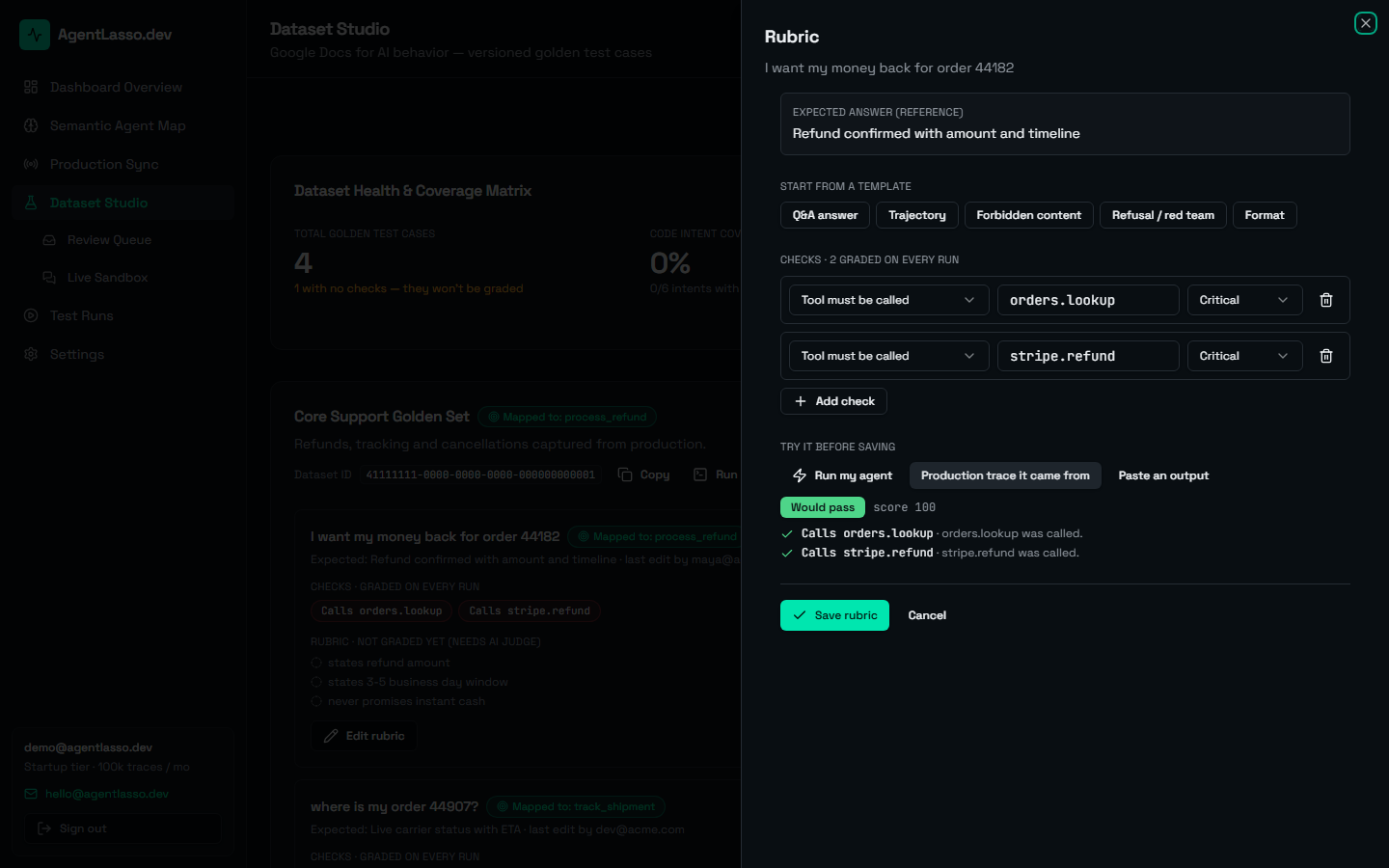
Add checks
Each row is one check: pick its type (grouped as trajectory, content, format and AI judge), enter the value, and choose critical or minor. Invalid rows explain what's wrong (e.g. "List at least two tools, separated by commas."), and Save rubric stays disabled until they're fixed.
Start from a template
Lists pasted one per line become one check each; duplicates are dropped, ignoring case.
Try it before saving
The preview grades your unsaved rubric with the same code CI uses, against one of:
- Production trace it came from: the real reply and tool calls the test case was created from.
- Paste an output: any reply, plus the tools it called (comma-separated).
- Run my agent: a live answer from your own agent, if you've connected it.
You'll see Would pass or Would fail, the score, and each check's result with the reason. AI judge checks run only when you click Run judge (one Claude call); until then the preview says Not fully graded rather than "Would fail". Verdicts are remembered for that reply and those criteria, so editing other checks re-grades instantly.
Save
Save rubric writes all your changes as one new version of the test case and records it in the activity feed, e.g. "updated the rubric (added 2 checks, changed 1)". If a teammate saved the same test case while you were editing, your save is stopped instead of silently overwriting their change: you're shown their version and can Reload latest version, then reapply your edit.
Free-text rubric items you converted into AI judge checks are removed from the "not graded" list when you save, so they aren't listed twice.
Next
Grade meaning, not just wording: AI judge checks.